
What Is IMAP Used For?
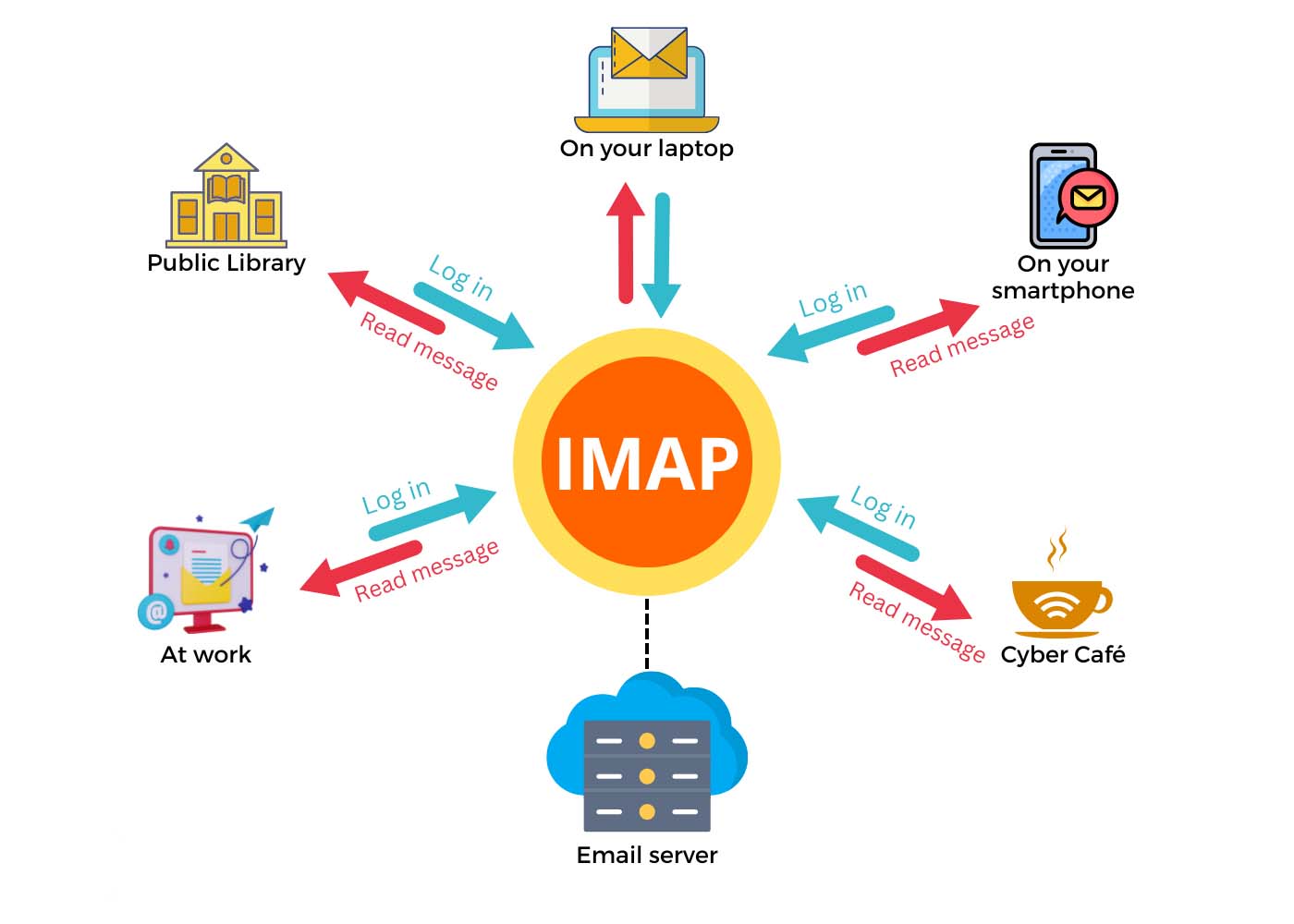
IMAP, which stands for Internet Message Access Protocol, is a method of accessing email messages on a mail server. Unlike POP (Post Office Protocol), IMAP allows users to manage their email messages stored on a remote mail server. This means that users can access their email from any device or location, and their messages will remain consistent across all devices.
IMAP is widely used by businesses, individuals, and organizations of all types to access and manage their email accounts. It offers a number of benefits, including the ability to access email from multiple devices, organization and management of email folders, and synchronization of email across all devices. In this article, we will explore the various uses of IMAP and the advantages it offers to users.
Why is IMAP used?
IMAP is used for several reasons, primarily because it offers a more versatile and flexible approach to managing email messages compared to other protocols like POP. Here are some of the key reasons why IMAP is widely used:
1. Access email from multiple devices: One of the primary reasons why IMAP is used is its ability to access email from multiple devices. Whether you’re using a desktop computer, laptop, smartphone, or tablet, IMAP allows you to access your email messages from any device with an internet connection.
2. Synchronization of email across devices: With IMAP, any changes made to email messages, such as read/unread status, flagging, or moving messages to different folders, are synchronized across all devices. This ensures that your email is consistent and up-to-date, no matter which device you use to access it.
3. Allows for email organization and management: IMAP provides users with the ability to create, delete, and manage email folders directly on the mail server, rather than just on the local device. This allows for better organization of email messages and easier management of emails.
4. Compatible with various email clients: IMAP is supported by most email clients, including Outlook, Thunderbird, Apple Mail, and others, making it a popular choice for users who prefer to use different email software.
5. Reduced storage space on local devices: Unlike POP, which downloads email messages to the local device and may consume a significant amount of storage space, IMAP keeps messages on the mail server, reducing the burden on the local device’s storage.
FAQs about IMAP:
1. What is the difference between IMAP and POP?
The main difference between IMAP and POP is how they handle email messages. IMAP allows users to access and manage their email messages on a remote mail server, keeping the messages consistent across all devices. POP, on the other hand, downloads email messages from the mail server to the local device, making it a better option for users who prefer to keep all their email messages stored locally.
2. Can I use IMAP with my current email account?
Most email providers support IMAP, so chances are you can use it with your current email account. However, it’s always best to check with your email provider to confirm if IMAP is available for your account.
3. How do I set up IMAP on my email client?
Setting up IMAP on your email client is relatively simple. You’ll need to input the incoming and outgoing server settings provided by your email provider, as well as your email address and password. Consult your email client’s documentation or customer support for specific instructions on how to set up IMAP.
4. Can I access my old emails using IMAP?
Yes, IMAP allows you to access all of your email messages, including old emails, stored on the mail server. However, the duration for which your email provider stores old messages may vary, so it’s best to check with your provider.
5. Are there any security concerns with using IMAP?
IMAP is a secure protocol when used with SSL/TLS encryption. This ensures that your email communications are encrypted and protected from unauthorized access.
In conclusion, IMAP is a widely used protocol for accessing and managing email messages, providing users with flexibility, accessibility, and synchronization across multiple devices. Its versatility and security make it a popular choice for individuals and businesses alike. If you’re looking to access your email messages from multiple devices while keeping them organized and consistent across all platforms, IMAP is the ideal solution.
For more in-depth articles on Web Hosting, explore our knowledge base at Infinity Domain Hosting – Web Hosting. Additionally, check out our collection of General Web Related Tutorials at General Tutorials and expert insights on PHP tips and guides at PHP Tips & Guides.
Explore our hosting plans tailored to meet your specific needs:
- Shared & cPanel Web Hosting: Web Hosting
- Managed WordPress Plans: WordPress Hosting
- VPS Hosting: VPS Hosting
- Dedicated Servers: Dedicated Servers
Discover our range of WordPress services at WordPress Services. For any assistance, feel free to create a new support request at Create Support Request.
Like and share our articles to spread the knowledge!

